
 About Dan Wilson
 Contact Me
 Dan Wilson
 Dan Wilson
 Model-Glue:Gesture for Fun and Profit
 Watch Video
 Presentation Files
 DataCurl LLC, My Company
 2010 Speaking Engagements
 Video Interviews
 DZone Articles

console.log throws error on Internet Explorer IE
 Posted By : Dan Wilson
 July 12, 2010 8:12 AM
If you have calls to console.log in your Javascript, you will get an error in Internet Explorer. This is because there is no console variable (object) in the window name space.
Sure you could take out all your console.log statements, but usually you need those around for a little while. Here is a quick snippet you can use in JQuery that'll take the place of console.log. Your Firefox console will still work and you won't get errors on Internet Explorer.
2 if( (window['console'] !== undefined) ){
3 console.log( text );
4 }
5}
Now when you want to log something, you can use:
2$.logThis( "I pity the fool who uses Internet Explorer");
Happy Days are here again!


How to customize the ColdFusion AutoSuggest
Posted By : Dan Wilson
January 13, 2010 7:11 AM
ColdFusion 8 and 9 have an autosuggest functionality that just couldn't be simpler. If you want to have an autosuggest input on the screen, you can do it with a single line of code:
That snippet will place an autosuggest box on the screen and allow a choice of english, spanish or french. Snazzy yeah?
If you want, you can bind the autosuggest to a javascript function, or directly to a CFC, making data retrieval and formatting very simple.
You can also make more complex examples, take a look at the ColdFusion 9 Documentation for Autosuggest for some ideas. All this is possible because ColdFusion used the extensive YUI library under the hood. The control used by the ColdFusion Autosuggest is the YUI AutoComplete widget.
Let's say you wanted to do something that the YUI AutoComplete offers, but isn't in the ColdFusion documentation, what do you do?
A Side Effect of ySlow and Firebug
Posted By : Dan Wilson
January 8, 2010 7:08 AM
A Side Effect of ySlow and Firebug
I spent a number of hours researching a bug in a Model-Glue application. Each time a form was submitted successfully, a duplicate record showed up in the database. This application uses a number of frameworks and it wasn't very clear which layer was causing the problem.
I started to dig into the issue, looking for any rhyme or reason and pinged my good buddy Ezra Parker for some sanity checks. After some intense debugging, we found out that the second record in the database showed up after the ColdFusion request ended. I tried all sorts of programmer sorcery to find out why this second request happened and did not get much useful information. This duplicate request problem defied all logic!
Through the course of working through the information and issues, we explored many potential causes and questions like:
- Was Model-Glue possibly adding a second redirect somewhere?
- Was there a CFThread buried in Model-Glue, ColdSpring, Transfer or CFUniform that caused this?
- Was there some javascript call being fired off, and replicating the request?
- Were space hackers infiltrating my computer?
- Am I on Candid Camera?
- Should I just quit programming and open a Bakery?
How to Make a Show Password Link with JQuery
Posted By : Dan Wilson
December 4, 2009 7:14 AM
While we all agree a good security measure is hiding passwords in form inputs, giving a user the ability to unhide the password is a nice usability feature. How often are you changing your password with nefarious people standing over your shoulder, right?
Really, the difference between markup for a text field and password field is just the type attribute of either 'text' or 'password'. JQuery makes it easy to work with attributes, by the $().attr() method. So, this would seemingly be a very simple task, right? Let's try it:
2 oldBox.attr('type', 'text');
3</script>
uncaught exception: type property can't be changed
Ouch. That didn't work like we expected, did it? Let's look at why. Once an element is inside the DOM, the type of the element can't be changed. The differences between the various DOM controls just mean we can't change a type of an element once it has been added. We can, however, clone the element, change the type then attach it to the DOM and it will work perfectly.
Tip to Speed Up Your Website - Compress CSS
Posted By : Dan Wilson
January 26, 2009 10:57 PM
There are a number of ways to speed up a website. An easy one would be to compress asset files and compact the files. This has been widely done for Javascript files with popular tools such as JSMIN and Packer.
The general idea behind compression/combination is to reduce the number of characters that must be sent over the wire as well as reduce the number of HTTP calls that must be made. Each time a browser gets a request to download a JS file, there is a certain amount of overhead incurred in negotiating and completing the HTTP request. Combining all JS files into one file is a great way to speed up a web application.
Everyone Already Knows This, Right?
Probably. However, CSS files can often be as numerous and verbose as Javascript files. How come there no public outcry for CSS compression/combination?
There happens to be a compressor/combinator that handles CSS files, the YUI Compressor. For most web application developers, YUI Compressor is an annoying tool to use because, as a java application, it must be installed and run from the command line. Yuck!, right?
Scriptalizer, developed by ColdFusion luminary Aaron Lynch, is a web front end for the YUI compressor. Scriptalizer has handled Javascript compression/combination for a while now and is a nicely designed, easy to use tool. Aaron recently added support for CSS compression/combination. Now, dealing with CSS files is as simple as dealing with JS files.
How well does it work?
I added all 14 CSS files from The Health Challenge and compressed/combined them with Scriptalizer. Here are the results:
- Number of Files Before: 14
- File Size of All Files: 35.42 KB
- Number of Files After: 1
- File Size of All Files: 19.96 KB
As you can see, the reduction was significant. Not only have I cut the size of my CSS assets by ~50%, I have also removed 13 HTTP connections.
Solution for JQuery Animation Content Bleeding Through
Posted By : Dan Wilson
December 18, 2007 3:42 PM
Here is a quick tip for those using animations with the JQuery library.
I just tracked down a weird issue with a JQuery Animation. The functionality of the page was very similar to an Accordion. Click an image, the content collapses using the slideDown() function. Click again, the content expands using slideUp(). The structure of the content was a table wrapped inside a container DIV:
2 <table>
3 <tr>
4 <td>Content la la la la la </td>
5 </tr>
6 </table>
7</div>
Not rocket science, right? This effect rendered flawlessly in Firefox shrinking and hiding the content incrementally. In I.E. 6, even though the containing div shrank incrementally, the content was visible up until the end of the animation, ruining the effect.
Through Divide and Conquer, I discovered the table had a css rule "position:relative". Removing this rule made the animation behave without bleeding through.
Running An Effect on Body Unload
Posted By : Dan Wilson
September 25, 2007 8:45 AM
I was recently asked to help with adding a page transition effect. JQuery makes tasks like this blazingly simple. Here is the source code for fading out the body when a link is clicked:
Concise and snappy code! Just the way I like it! But it didn't work 100%. Would you believe the effect didn't work well in one of the browsers?
When using the Firefox browser, the transition worked just fine but clicking the back button after the transition simply showed the greyed out page. Firefox browser cached the effect, rendering the whole page completely useless.
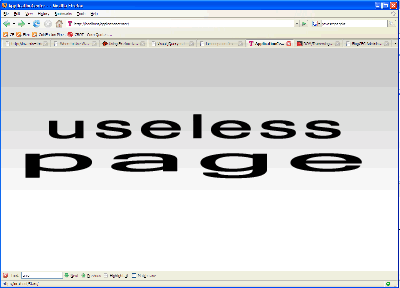
After some research, I found that the Firefox Browser uses a type of caching referred to as bfcache (for "Back-Forward Cache"). BFCache is on for most cases but is not activated under the following conditions:
- the page uses an 1unloadhandler
- the page sets "cache-control: no-store"
- the page sets "cache-control: no-cache" and the site is HTTPS.
- the page is not completely loaded when the user navigates away from it
- the top-level page contains frames that are not cacheable
- the page is in a frame and the user loads a new page within that frame (in this case, when the user navigates away from the page, the content that was last loaded into the frames is what is cached)
The cleanest solution for this case? Add an onUnload handler to the body tag:
Now the transition works flawlessly and the back button behavior is correct.
The New JQuery UI Launched
Posted By : Dan Wilson
September 17, 2007 9:17 AM
The first drop of JQuery UI was released September 16th 2007. This release includes:
Thanks Adobe onAir BusTour
Posted By : Dan Wilson
August 21, 2007 8:02 AM
This past Saturday evening, the Adobe onAir Bus Tour breezed into Raleigh/Durham for a three hour stop. Mike Chambers and Kevin Hoyt gave presentations on AIR, the technology formerly known as Apollo, and the rest of the onAIR Bus Tour team took questions.
Overall, I was left with the impression that jumping from Web Application Development to AIR Application Development can be very easy and the learning curve is small. By leveraging skills I already possess, HTML, Javascript, Ajax Frameworks, and Flex/ActionScript, I can create relevant cross-platform applications with all the power and reach of Native Desktop applications.
Solving Problems with FireBug
Posted By : Dan Wilson
August 17, 2007 1:59 PM
Dave Ferguson posted recently about HTML CFGRID style column content and focuses on how to style columns in an HTML CFGRID. The true gem of this post is how he used Firebug to walk down the markup and find the class names and properties of the CFGRID output.
Firebug is truly a wondrous tool. I use it every single day and I save a TREMENDOUS amount of time when working with HTML and Javascript. Also, I've really reduced the number of times typing:
I wrote about Firebug previously and provided a link to a Video by Joe Hewitt explaining the feature set of Firebug 1.0. Joe Hewitt created Firebug and does a great job showcasing the features on this video, courtesy of YUI Theater. I recommend viewing this video, if you have not already.
Thanks go to Dave his original post. I look forward to more great content at Dave Ferguson's blog.
 Suscribe
 Follow Us
 Contact